
Guide
How to make a Quran video for Reels, TikTok and Shorts
A recited Quran video takes about a minute on your phone with Sakina. Here is every step, named as the app names it.
Step by step
Open Create
Sakina opens on Create. The first time, read and accept the content agreement: the app asks everyone to keep what they make respectful of the Quran.
Choose a background
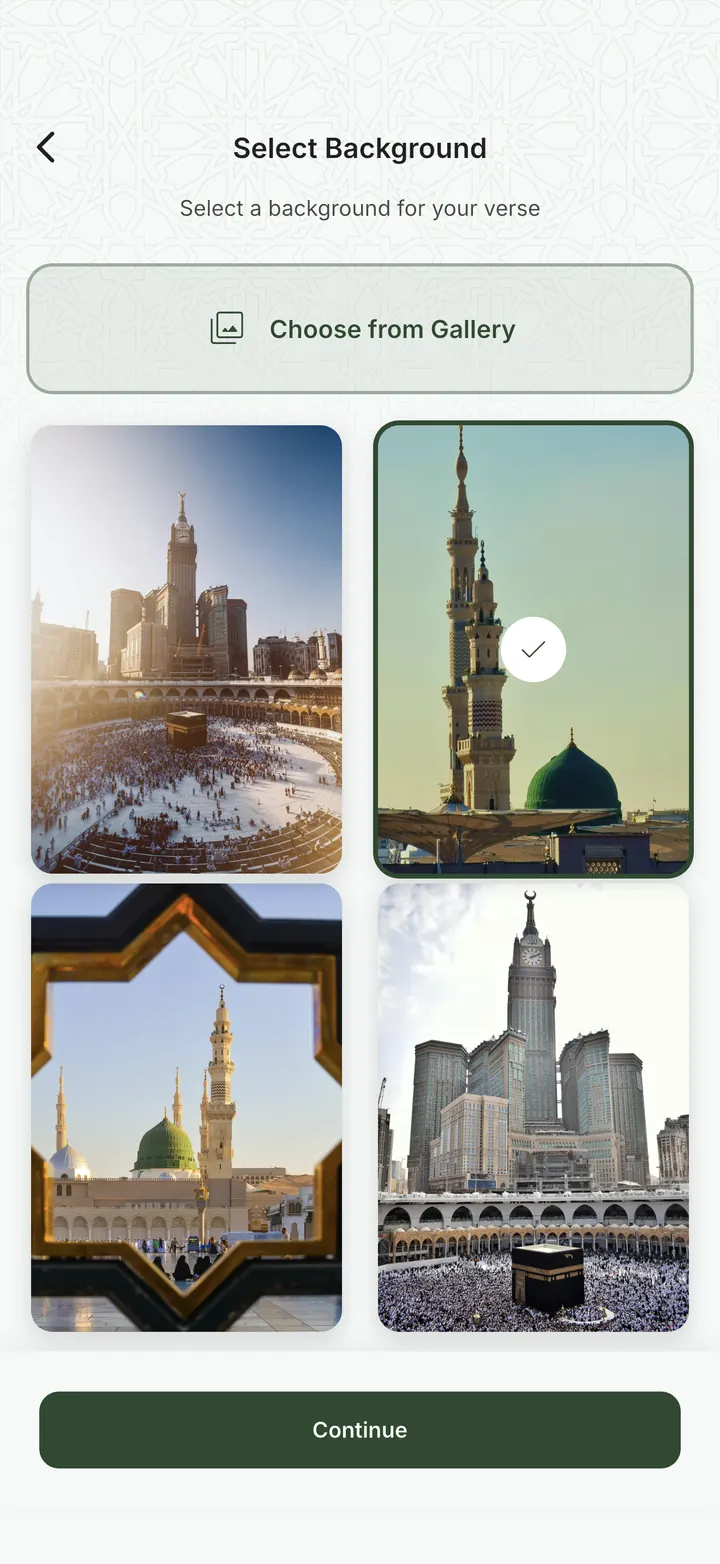
Select Background shows the 21 photographs that come with the app. Tap one, or Choose from Gallery to use a photograph of your own, then Continue.
Select the verses and the reciter
Pick the surah, the reciter, and the range — From ayah and To ayah, one to ten consecutive verses. The reciters: Mishary Rashid Alafasy, Mahmoud Khalil Al-Husary, Maher Al Muaiqly, Abdul Basit (Murattal), Saood Ash-Shuraym, Abdur-Rahman as-Sudais, Abu Bakr Ash-Shaatree, Ahmed ibn Ali al-Ajamy. Then Create Preview.
Watch the preview
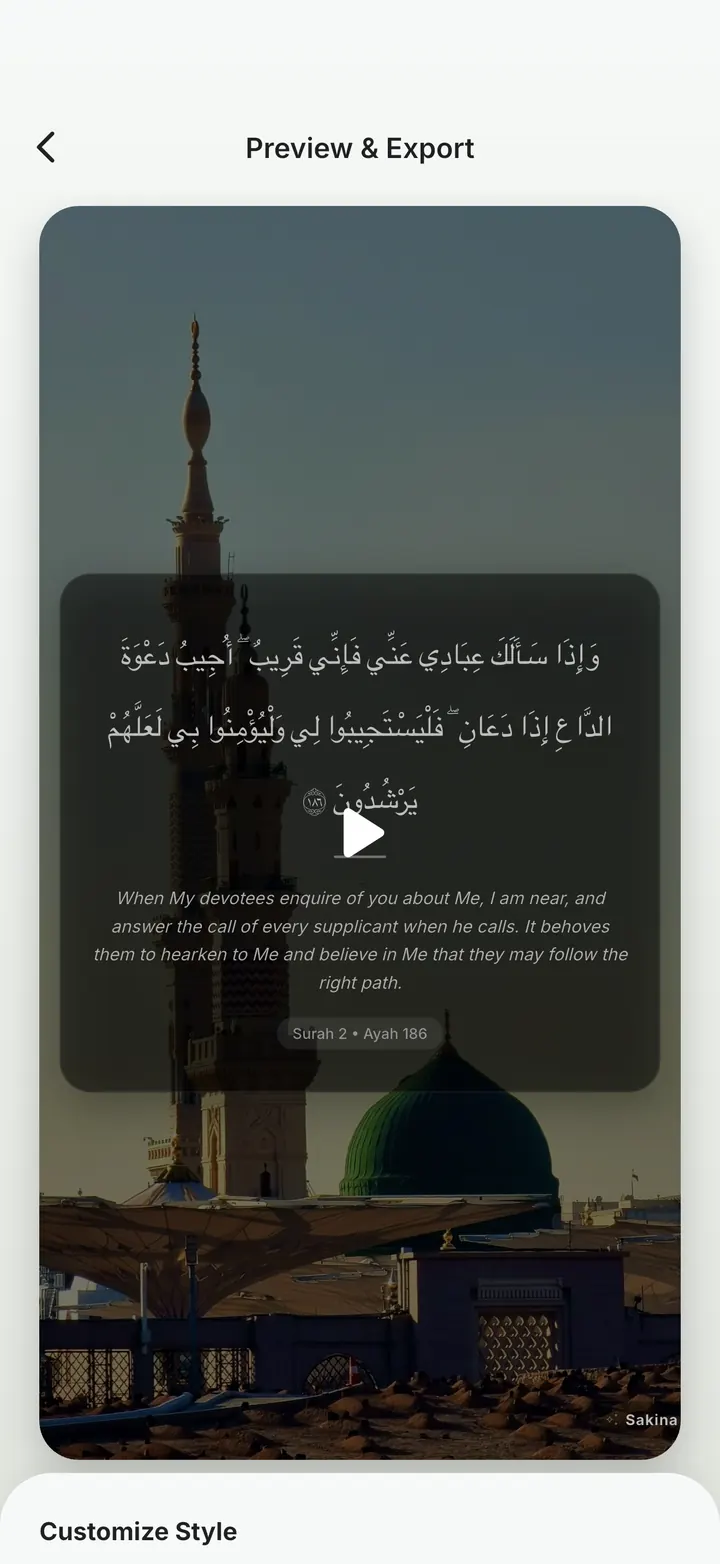
Preview & Export plays the reel as it will be exported: the Arabic, the English meaning under it, and the recitation in step.
Customize the style
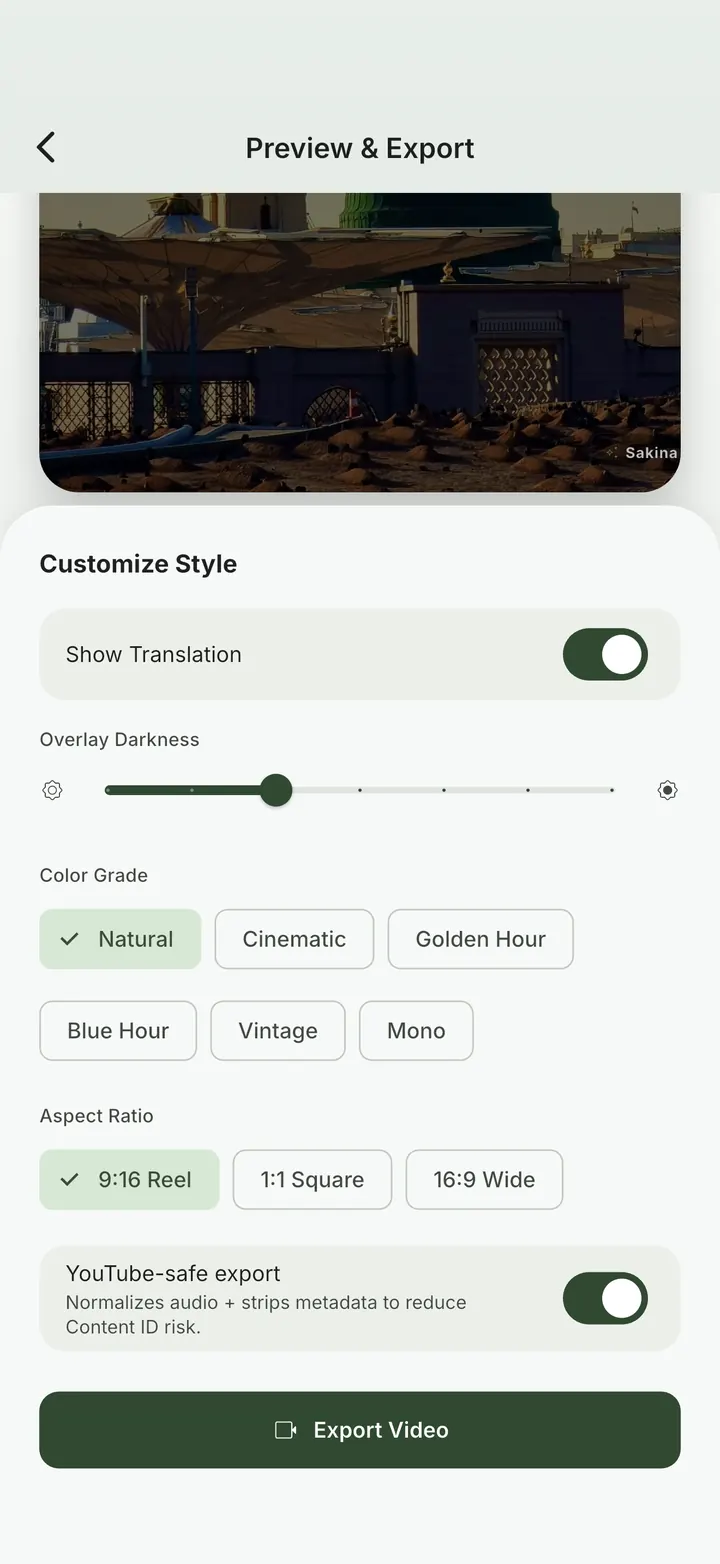
Turn Show Translation on or off, slide Overlay Darkness until the text reads clearly over the photograph, choose a Color Grade (Natural, Cinematic, Golden Hour, Blue Hour, Vintage, Mono) and the Aspect Ratio (9:16 Reel, 1:1 Square, 16:9 Wide). For YouTube, turn on YouTube-safe export.
Export and share
Tap Export Video. The video is made on your phone — nothing is uploaded — and you can share it straight away or save it to your photos.
Find it again later
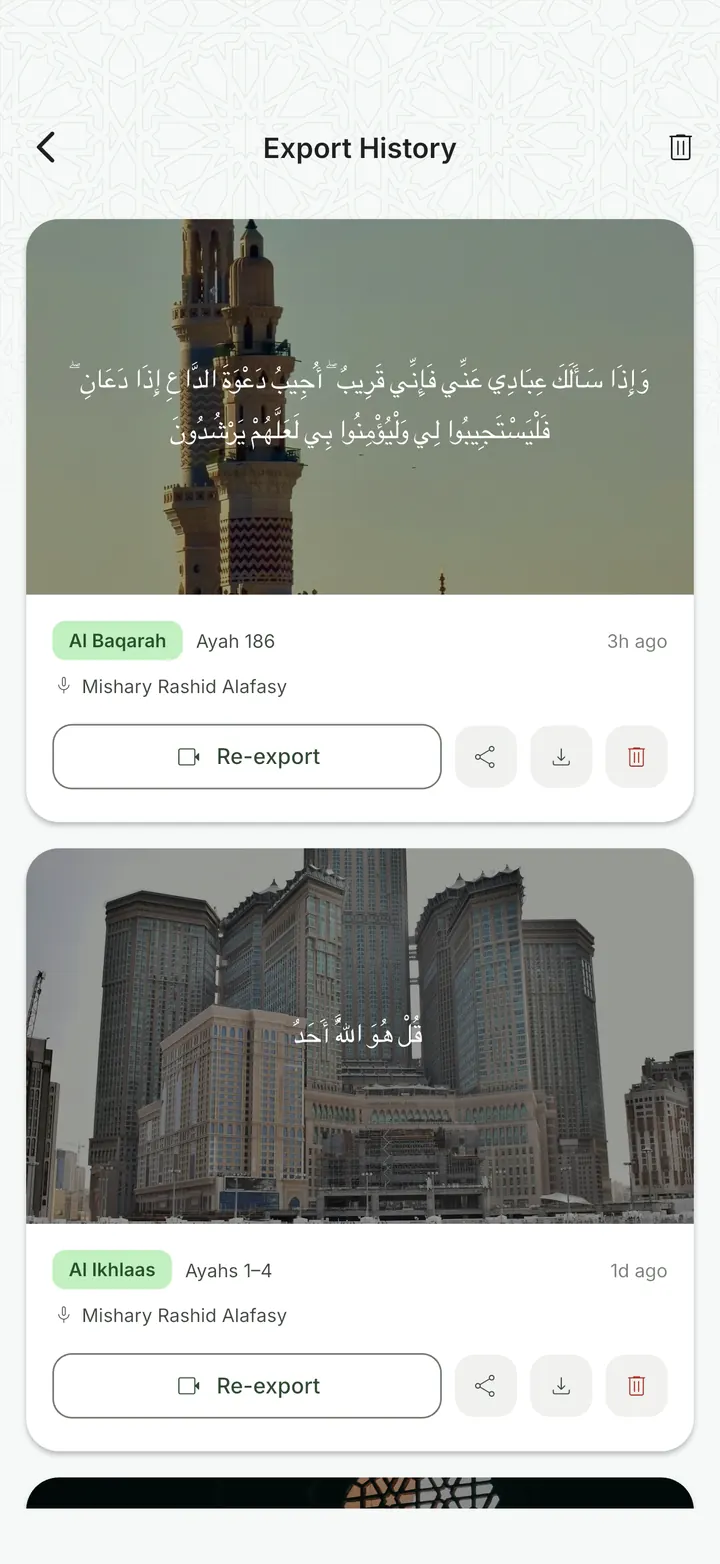
Every video you make is kept in Export History, with its verses and reciter, so you can share it, save it or export it again.
Tips for a video people finish
Match the frame to the platform
9:16 Reel (1080×1920) for Reels, TikTok and Shorts; 1:1 Square for the Instagram feed; 16:9 Wide for YouTube.
Darken a busy photograph
A photograph full of detail competes with the verse. Raise Overlay Darkness until the Arabic stands clear of it.
Keep the reel short
A short reel is easier to watch to the end, and a verse or two often says enough. Up to ten fit a longer recitation.
Sign it, or not
Every video carries a small watermark: Sakina, or your own of up to 24 characters, set in Settings.
Questions
Will YouTube flag my video for copyright?
Turn on YouTube-safe export before you export: it normalises the audio and strips the file’s metadata, which reduces the risk of a Content ID match. No app can promise a platform will not flag a recitation.
Does the video show a translation?
It can: turn Show Translation on in Customize Style and the English meaning appears under the Arabic. Turn it off for the Arabic alone.
Can I use my own photo?
Yes. Choose from Gallery sets any photograph from your phone behind the verse, or pick one of the 21 photographs that come with the app.
Can I change the watermark?
Yes. In Settings, write your own watermark of up to 24 characters, or keep the default, Sakina. It is burned into every video you export.
Is Sakina free?
Yes. The verse feed, favourites, every reciter, photograph, colour grade and frame are free, and you can export 3 videos a day. Sakina Pro makes exports unlimited and removes the ads. Watching an ad never unlocks either.
Make your first one now.
Sakina is free on the App Store and Google Play.